3. Analyzing your own video file (upload)
You don't need a YouTube link. You can upload a video file directly — a draft, client footage, or a clip from any platform — as long as you own it or have the right to analyze it.
How to upload
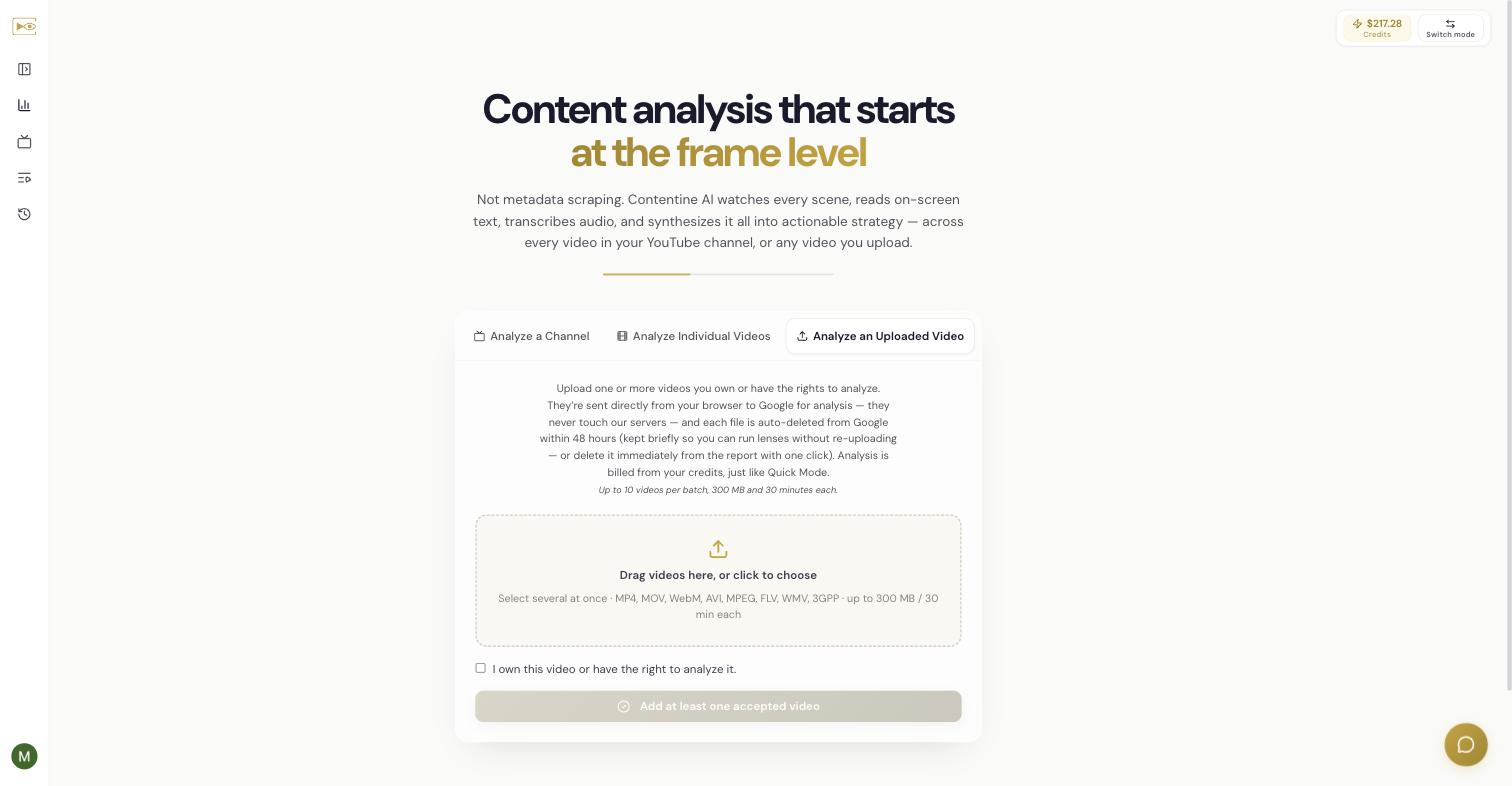
- On the home screen, choose the Analyze an Uploaded Video tab.
- Drag your files onto the drop area, or click to choose them.
- Tick the box: "I own this video or have the right to analyze it."
- Choose the button to add your accepted videos, then configure and run the analysis exactly as in Chapter 2.
Supported formats and limits
The app enforces these limits before anything uploads:
- Formats: MP4, MOV, WebM, AVI, MPEG, FLV, WMV, 3GPP. (
.mkvis not supported.) - Up to 10 videos per batch.
- 300 MB and 30 minutes per file.
If a file is the wrong format or too large, the app rejects it and tells you why before uploading.
What happens to your file (the privacy model)
In plain words: your video goes straight from your browser to Google for analysis — it never touches Contentine's servers. After analysis, each file is auto-deleted from Google within 48 hours. It is kept briefly so you can run extra lenses on it without re-uploading, and you can delete it immediately from the report with one click (see Chapter 18 and Chapter 21).
This is the exact wording shown on the upload screen:
Upload one or more videos you own or have the rights to analyze. They're sent directly from your browser to Google for analysis — they never touch our servers — and each file is auto-deleted from Google within 48 hours (kept briefly so you can run lenses without re-uploading — or delete it immediately from the report with one click).
Upload works in both modes. In Quick Mode, the analysis is billed from your credits, just like any other analysis. In My Keys, the base analysis runs on your own Gemini key.
When upload beats a URL
- The video isn't on YouTube, or isn't public.
- You want to check any footage you hold the rights to before it goes out.
- You're reviewing client footage or a cut that only exists as a file.
- You want to study a short-form clip (a Reel, TikTok, or Short) that you own or have the rights to — note that Contentine only accepts YouTube URLs for link-based analysis, so for anything else, upload the file itself.
Wrong format or too big? Convert or split in your browser
If a file is .mkv, the app offers Convert in your browser (a lossless remux to MP4). If it is over the size or length limit, it offers Split into parts. Both run on your device before anything uploads — see Chapter 4.
Related
Independent AI-generated analysis. Not affiliated with or endorsed by YouTube. May contain errors.