14. Credits, plans & billing
This chapter explains how billing works. It deliberately doesn't print prices, because they change — for the current numbers, open Credits & Billing from your credits balance at the top right. That modal is always the source of truth. Payments are handled by Stripe, in USD, and checkout opens in a new tab.
How credits work
Credits are one balance for everything — packs, custom credits, and plan credits all go into the same pot, and credits never expire. Credits are shown in dollars. In Quick Mode you spend credits per analysis; in My Keys mode you only spend a small platform fee (Google bills you directly for the rest).
You can always see the exact cost of a run before you commit: the estimate on the Configure screen shows it, and you're charged per completed step (see Chapter 2).
Credit packs (one-time)
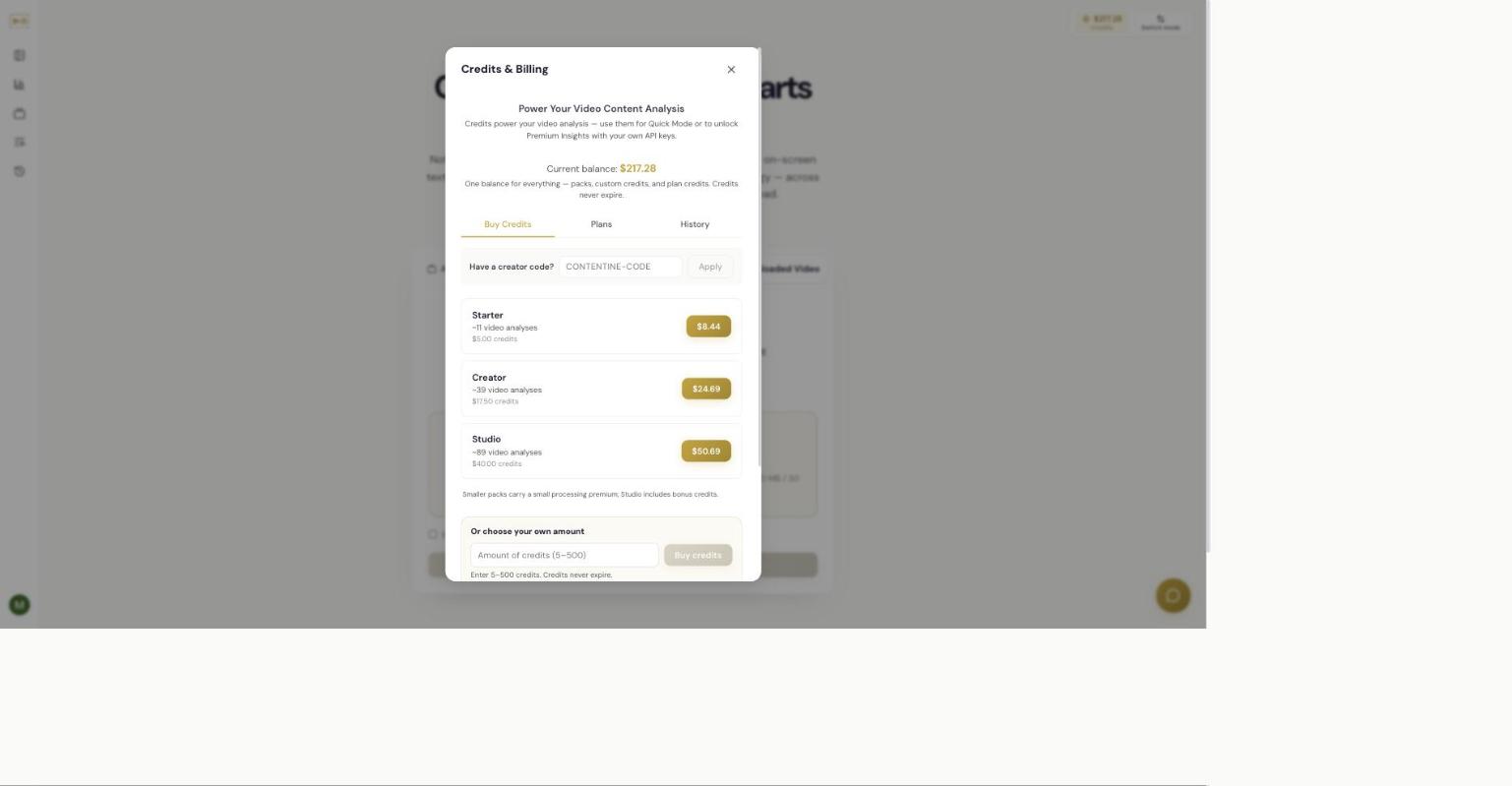
There are three one-time packs, in increasing size — Starter, Creator, and Studio — plus a custom amount option if you want to buy a specific number of credits. Two things to know:
- Smaller packs carry a small processing premium, so the larger packs give you more credits per dollar.
- Studio includes bonus credits, making it the best value per credit.
Each pack shows roughly how many video analyses it covers (based on a typical short video — your mileage varies with length, depth, and the insights you include).
Monthly and yearly plans
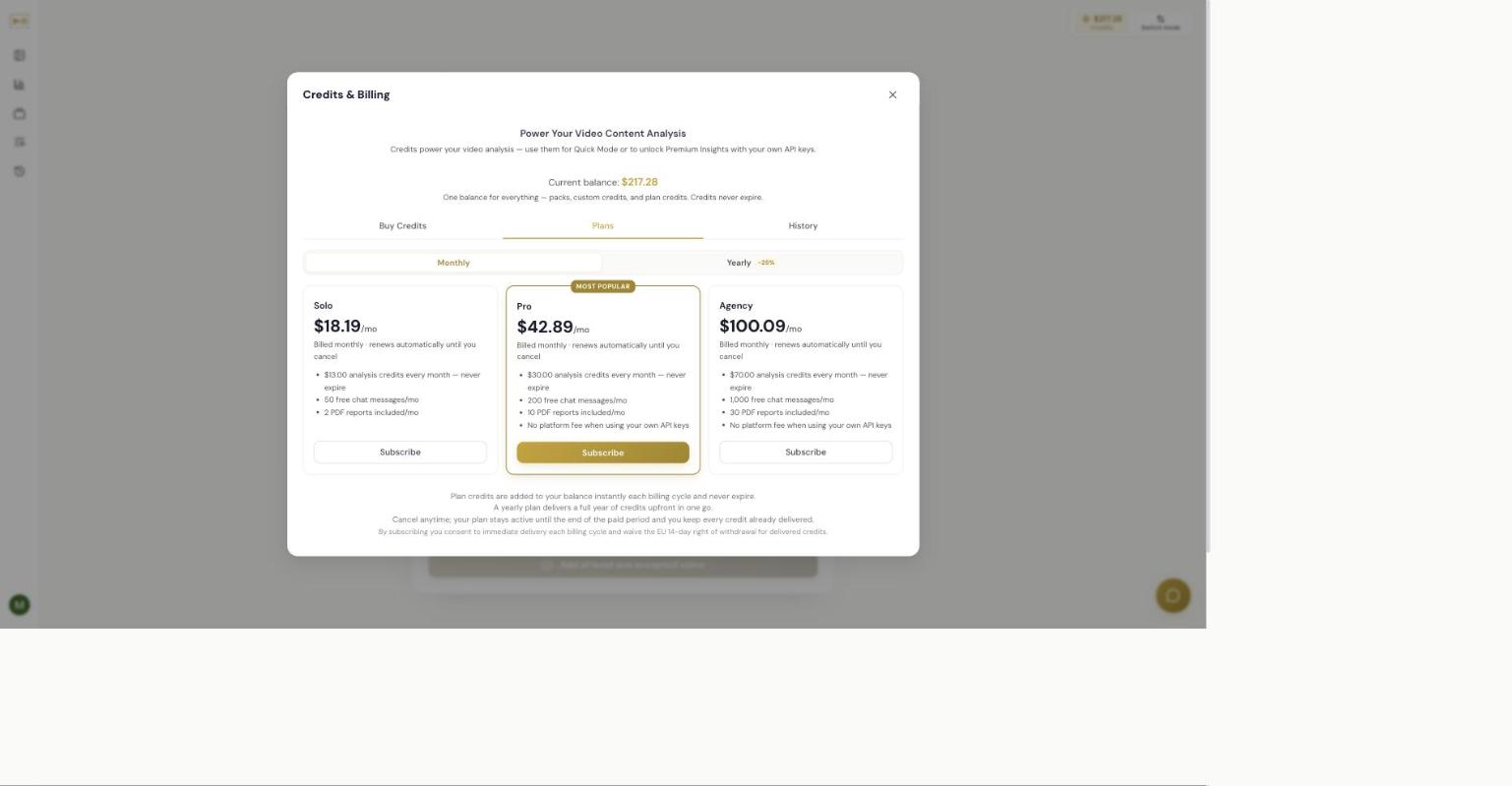
There are three subscription plans, in ascending size — Solo, Pro (marked Most Popular), and Agency. Each plan gives you, every billing cycle:
- A monthly allotment of analysis credits that is added to your balance instantly and never expires (higher plans give more).
- A number of free chat messages per month (higher plans give more).
- A number of included PDF report exports per month (higher plans give more).
- On Pro and Agency, the platform fee is waived when you use your own API keys (My Keys mode).
Plans can be billed monthly or yearly, and the yearly option is cheaper than paying month to month (a yearly plan delivers a full year of credits upfront). Toggle Monthly/Yearly at the top of the Plans tab to compare.
Packs vs. plans — how to choose
- Occasional use: buy a pack. The largest pack (Studio) is the best value per credit.
- Every month, and you want chat and PDFs: a plan is better — you get monthly credits plus the chat and PDF allowances, and (on Pro/Agency) no platform fee on your own keys.
- Committing for the long run: a yearly plan is the cheapest way to buy credits.
For the actual prices and the exact per-plan allowances on the day you're deciding, open Credits & Billing — everything is listed there.
Changing or cancelling a plan
You can cancel anytime. Your plan stays active until the end of the paid period, and you keep every credit already delivered. By subscribing you consent to immediate delivery of credits each billing cycle and waive the EU 14-day right of withdrawal for delivered credits. Manage subscriptions and see past charges under Billing History in your account menu.
Refunds
Credits are non-refundable once delivered; refund requests are reviewed case-by-case. If you request a refund, the team reviews it manually and emails you. For the binding terms, see the Terms of Service linked in the app footer.
Creator codes
If you have a creator or affiliate code, enter it in the Have a creator code? field on the Buy Credits tab and choose Apply.
Storage and metered extras
Two things are billed outside the per-run modules: Auto-draft with AI in Editorial feedback (cost previewed before you run it) and reference-image storage above the free allowance (billed per GB, rate shown in the Storage pane). See Chapter 7 and Chapter 15.
Related
Independent AI-generated analysis. Not affiliated with or endorsed by YouTube. May contain errors.