16. Using your own API key (My Keys)
My Keys mode lets you run analyses on your own Google Gemini API key. The base analysis is billed by Google directly to you; Contentine only charges a small platform fee from your credits.
Getting a Gemini API key
- Go to Google's AI Studio API keys page.
- Create a free API key (create a Google project if asked).
- Copy the key — it starts with
AIza….
Adding your key
- At the top right, choose Switch mode and select My Keys. The app confirms: your analyses will bill tiny platform fees from your credits instead of full usage, and you'll need valid keys to continue.
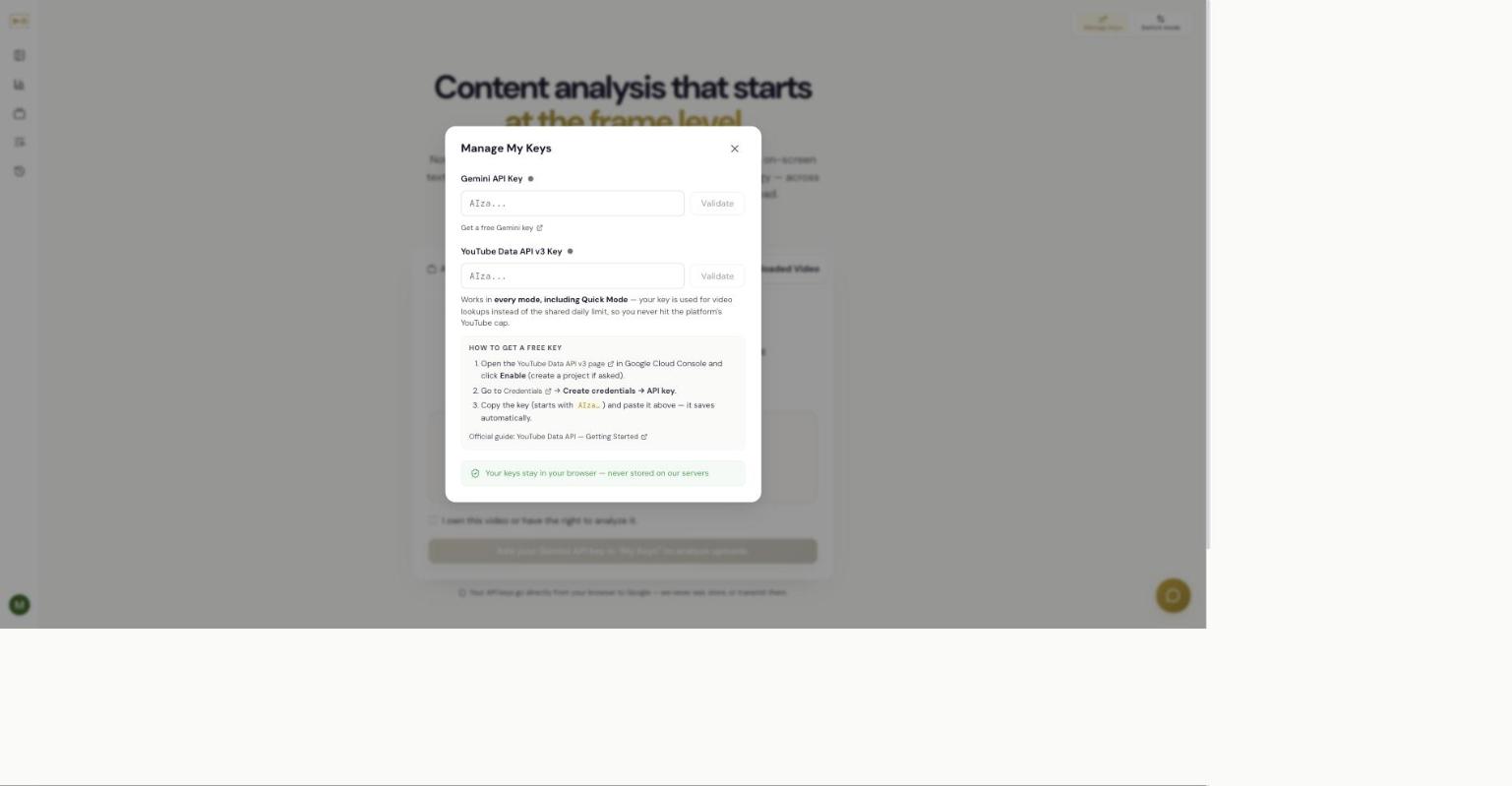
- Open Manage Keys and paste your key into the Gemini API Key field, then choose Validate. A status dot shows whether the key is valid.
The YouTube key (optional)
The YouTube Data API v3 Key is optional and only needed for looking up YouTube channels, playlists, and video URLs — it isn't needed for uploads. Adding one is useful because it works in every mode, including Quick Mode: your key is used for video lookups instead of the shared daily limit, so you never hit the platform's YouTube cap.
To get a free YouTube key: open the YouTube Data API v3 page in the Google Cloud Console and choose Enable (create a project if asked), then go to Credentials → Create credentials → API key, and paste the key — it saves automatically. Google's YouTube Data API — Getting Started guide has the full steps.
What Contentine can and cannot see
Your keys stay in your browser — they are never stored on Contentine's servers. They're used to talk to Google directly from your browser. Contentine sees the analysis results, not your key.
What it costs
Google bills you per video by token usage — longer and higher-resolution videos cost more. Contentine adds only a small platform fee, charged from your credits (and that fee is waived on the Pro and Agency plans; see Chapter 14).
For a realistic figure, the app's own estimator is the best guide: load a video, go to the Configure screen, and read the estimate before you run. It shows the total, the fixed platform fee, and how the cost breaks down — so you always see the number before you commit. In My Keys mode the base cost is billed by Google directly to you, and Contentine's charge is just the small platform fee (waived on Pro and Agency plans; see Chapter 14). The cost varies with the video's length, the analysis depth, and the insights you include.
Related
Independent AI-generated analysis. Not affiliated with or endorsed by YouTube. May contain errors.